RetouchPi JPEG to PDF: One Page, One Pixel per Point
"Jpeg to pdf" usually hands you an upload box. This page does the opposite: on 2026-10-10 a real 1500 x 1500 JPEG of 48,033 bytes was opened in the browser (295 ms in the Chinese interface) and sent through File ▸ Export PDF, landing 49,388 bytes on disk in 1,062 ms - and that file was then read back byte by byte: one page, /MediaBox [0 0 1500 1500], the colour a single /DCTDecode JPEG, the whole wrapper costing 785 bytes. Export again after a cutout and the transparency rides along as an /SMask soft mask.
Updated 2026-10-10 · ~ 1953 words
Hand it the JPEG
Pick one and you land in the editor - no account, no credits up front. The file dialog takes images by wildcard, plus 56 extensions by name (.psd, .dng, .raf and .avif among them); .pdf is not one of them - this page is about export only, and the refusal is measured below with a screenshot.
Four steps: open, export, read back, export again after a cutout
- Pick the JPEG in the well at the top of this page, or inside the editor use File ▸ Open. The 1500 x 1500 sample entered the editor in 295 ms in the Chinese interface, and the status bar read
1500 x 1500at once. - Take File ▸ Export PDF. The sample landed 49,388 bytes on disk in 1,062 ms, the toast reading
Exported subject-2.pdf. - Read the file back as a file, in any PDF reader: one page, a page size equal to the document's pixels, the colour a single JPEG. The table below is the byte-level read-back, not a spec sheet.
- For a transparent background, cut first: Layer ▸ Mask ▸ Remove Background, then export again - the transparency rides along as an
/SMasksoft mask (69,668 bytes).
What is inside the exported PDF
PDF is a very large format, and "put one picture on one page" needs only a small corner of it: a catalog, a page tree of one, one image object, one content stream that paints it, and a cross-reference table. This export writes exactly those five and nothing more - fonts, annotations and forms are parts nobody asked for, and a writer that pretends to understand them emits files other readers reject.
- One page, not a stack.
/Type /Pageoccurs once in the file; there is no multi-page merge on this road - imposition happens elsewhere, first. - Page size equals document pixels.
/MediaBox [0 0 1500 1500]: one pixel per point, which is the 72 dpi reading. Fifteen hundred points is about 20.8 inches or 52.9 cm - the size on screen is the size on paper. - The colour is one JPEG.
/Filter /DCTDecodewith/ColorSpace /DeviceRGB, stream length 48,603 bytes; the PDF layer does not re-compress it - whatever bytes the canvas encoded are the bytes wrapped. - Metadata stays spare.
/Producer (RetouchPi),/Title (subject-2)taken from the document name, andstartxrefpresent; nothing else dressed up.
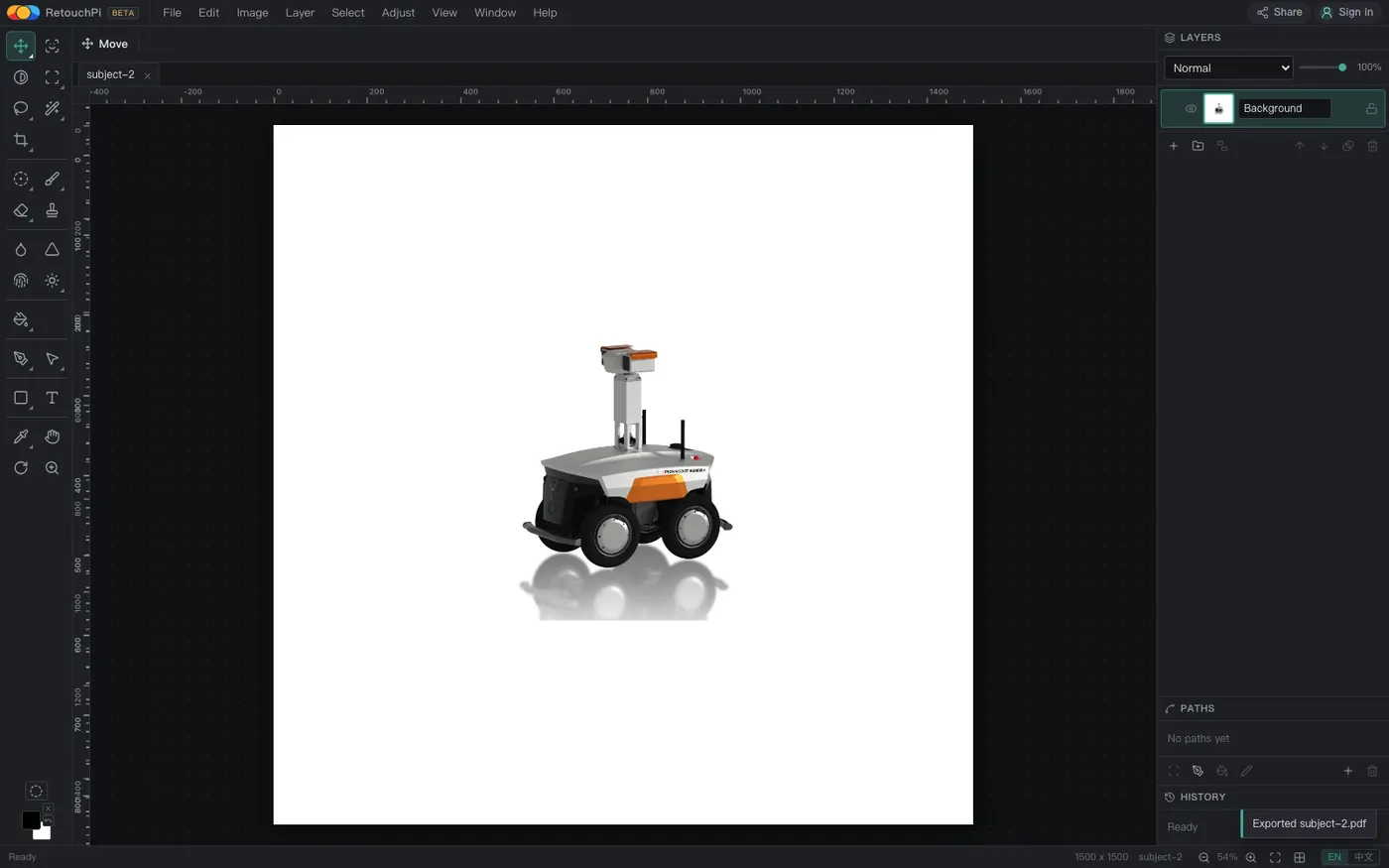
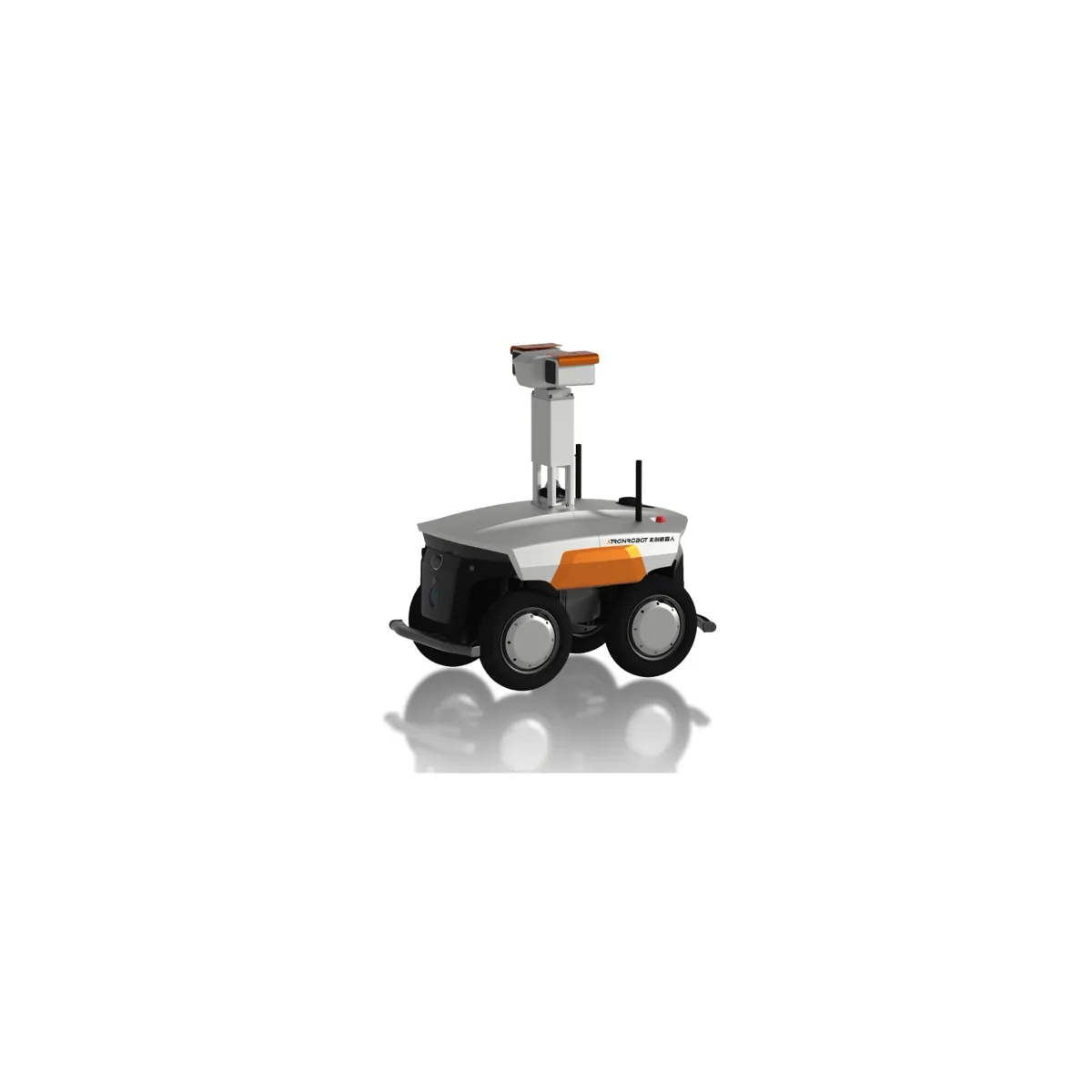
1500 x 1500 and the read-back /MediaBox are the same numbers.The sample is a real studio shot (white background, reflection included), not colour blocks drawn for a demo - and the gap between the 48,033-byte source JPEG and the 48,603-byte JPEG inside the export is exactly the one re-encoding discussed below.
The two exports, measured
The table below was run on one machine in one bundled Chromium on 2026-10-10, once per interface language; the timings are probe timestamps taken around each action and the sizes are the real byte counts on disk. The byte counts are identical in both languages - the export does not care which interface you clicked in.
| Step | English interface | Chinese interface | What the read-back shows |
|---|---|---|---|
| Open the 48,033-byte JPEG | 63 ms | 295 ms | Tab name and status-bar size match |
| File ▸ Export PDF | 1,062 ms → 49,388 bytes | 1,066 ms → 49,388 bytes | One page, 6 objects, no /SMask |
| Colour stream | /DCTDecode 48,603 bytes | /DCTDecode 48,603 bytes | DeviceRGB, content stream 32 bytes |
| Export again after the cutout | 1,072 ms → 69,668 bytes | 1,078 ms → 69,668 bytes | 7 objects, one /SMask more |
The two open readings differ widely (63 ms against 295 ms) and that is cache warmth, not capability; the four export readings sit in one narrow band, 1,062 to 1,078 ms.
785 bytes: what the whole PDF wrapper costs
Take the export apart: the colour stream is 48,603 bytes and the whole file is 49,388, a difference of 785 bytes - the catalog, the page tree, the 32-byte content stream and the cross-reference table all together. In other words this PDF is very nearly the JPEG itself inside a thin envelope.
- The colour is not the source JPEG's own bytes, though. The export runs the canvas JPEG encoder at quality 0.92; the source is 48,033 bytes and the stream's JPEG is 48,603. So this road is lossy - the loss is in that one canvas encoding, and the PDF layer adds no second compression.
- For lossless, do not take the PDF road. The layered and lossless exits are PSD and TIFF; the PDF's role in this family is to be sent out and looked at, or printed, not to serve as an archival master.
- The content stream is 32 bytes. It says one thing: paint that JPEG across the page. No other drawing instructions, hence nothing else that can go wrong.
After a cutout: transparency rides along as /SMask
A JPEG cannot hold transparency; PDF's answer is a second, one-channel image that the page multiplies the colour by - which is what a PNG's alpha is, said in PDF's own words. So the export of a cut-out document carries one object more: the colour /DCTDecode at 57,322 bytes plus an /SMask (/FlateDecode, /DeviceGray, 1500 x 1500) of 11,354 bytes, 69,668 bytes in all.
- An uncut document carries no mask. The opaque export reads back with
/SMaskabsent - present when it should be, absent when it should not, which is exactly what a read-back can check. - The cutout leaves the source layer alone. The one-click cutout lands as a layer mask with every source pixel untouched; the mask can still be inverted, feathered or painted by hand before you export.
- Under the subject is not white but see-through. In a reader the checkerboard becomes whatever lies beneath - a slide, a web page, the printer's paper white; want a white ground, do not cut.
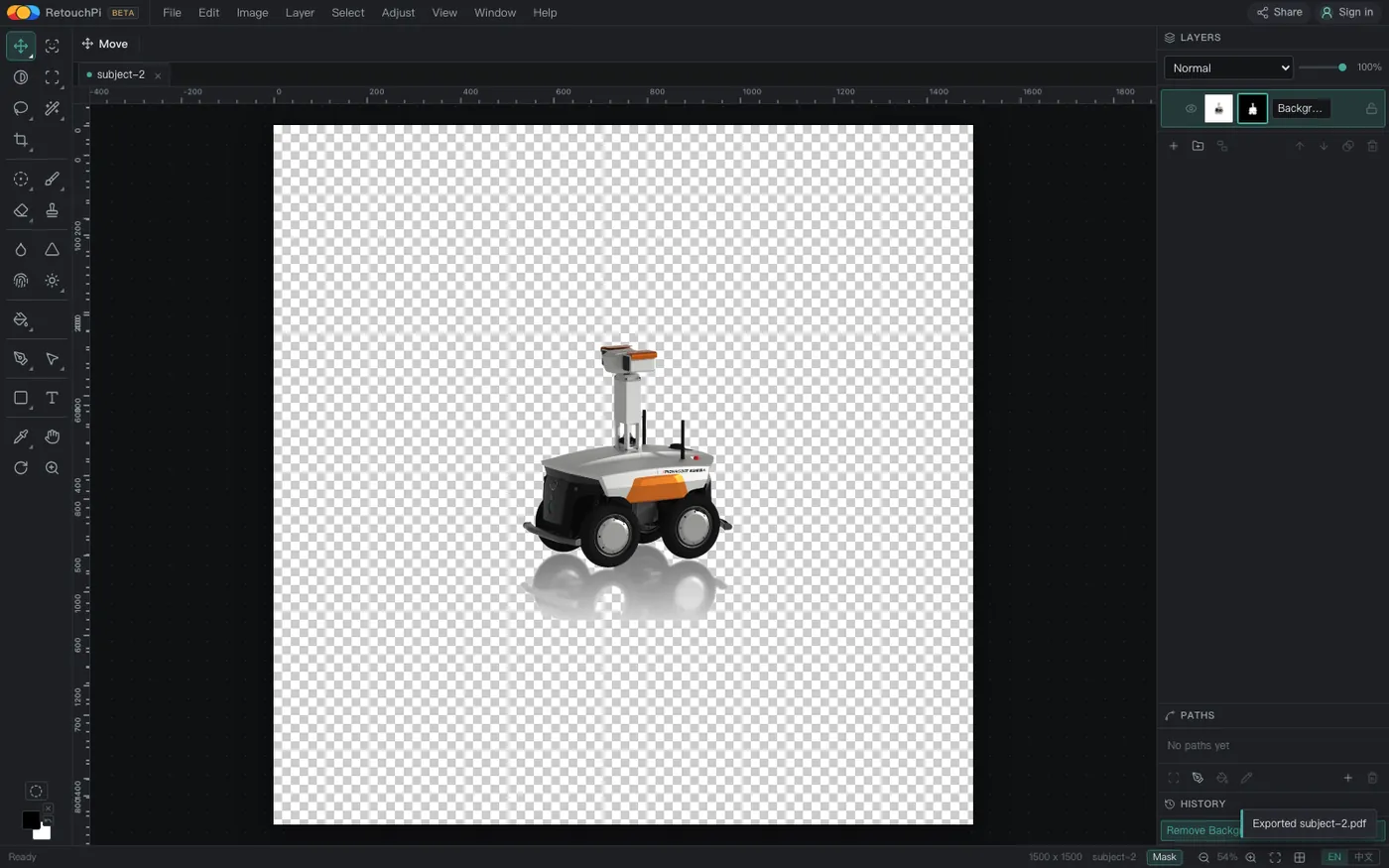
/SMask plus the re-encoded colour stream.How big on paper: the one-pixel-one-point arithmetic
The document carries no resolution field, so the export writes the page size at one pixel per point - the 72 dpi reading: 1500 pixels on screen become 1500 points on paper, about 20.8 inches or 52.9 cm wide. That is the right reading for sending something out to be looked at; printing at a named size and dpi is arithmetic you do yourself.
- A4 at 300 dpi wants 2480 x 3508 pixels. To fill an A4 sheet without interpolation the document must be that many pixels; the export will not resample for you.
- Five by seven inches at 300 dpi wants 1500 x 2100 pixels. The sample's 1500-wide happens to cover the five-inch side - a coincidence of arithmetic, not a preset the export offers.
- No paper presets and no dpi field. The page size follows the document's pixels and nothing else; want another size, change the document's pixel dimensions first, then export.
What this page explicitly does not claim
Half the value of a capability page is in the word "not". This page does not claim:
- No reading PDF in. The file dialog's allow list has no
.pdf; hand the exported file back and the tab does not move, the notice reading "That file could not be decoded as an image." This page turns JPEG into PDF; it is not a PDF editor. - No multi-page merging. The read-back counts
/Type /Pageat 1; one document gives one page, with no imposition and no appended pages. - No prepress colour. The colour stream is
/DeviceRGB; there is no CMYK working mode and none of the prepress proofing machinery. Whether CMYK files open is another page's business; this page's exit is sRGB. - No lossless claim. The colour is a JPEG encoded by the canvas at quality 0.92; lossless lives on the PSD and TIFF roads.
- No offline claim, and no promise that files never leave the machine. Opening, editing and export stay on this machine; AI generation and AI edits are the one step that reaches a server, priced in credits and quoted before you commit.
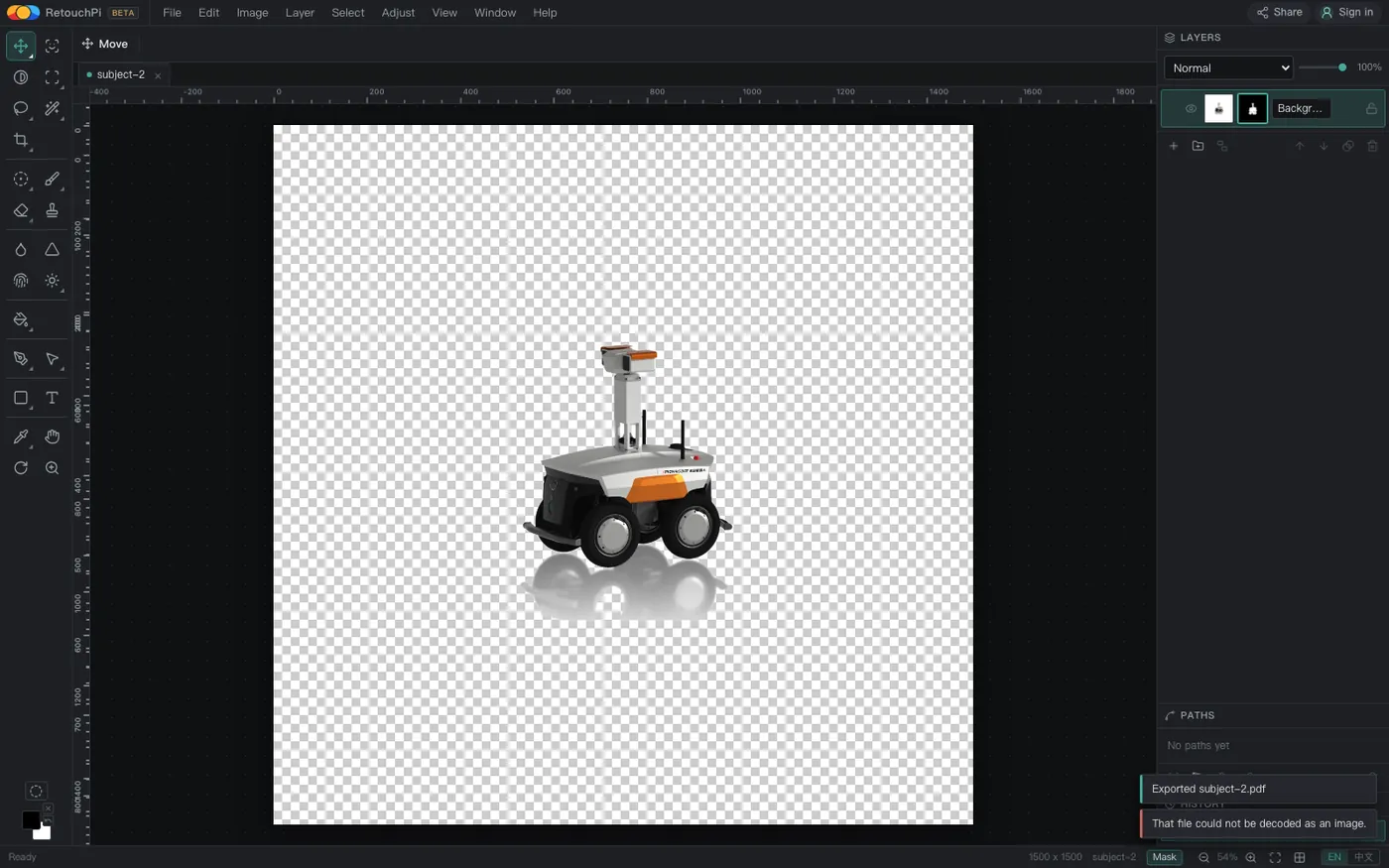
.pdf is not on the allow list, so handing it back changes no canvas and returns one named reason - which is why this page claims export only.Questions people ask
How long does the export take, and how big is the file?
Four export readings on the 1500 x 1500 sample sit between 1,062 and 1,078 ms; the opaque file is 49,388 bytes and the masked one 69,668. Size is mostly the picture itself: the colour stream is one JPEG.
Is the exported PDF vector?
It is not. The page carries one /DCTDecode bitmap JPEG painted across the page; the content stream is 32 bytes, with no paths and no fonts. The vector exit is SVG.
Can one page hold several pictures?
It cannot. The read-back counts /Type /Page at 1 - one document, one page; impose inside the document first, since that canvas is that page, or export separately.
Does a transparent background survive?
It does, as an /SMask soft mask: beside the colour stream sits an 11,354-byte /DeviceGray one-channel image that the reader multiplies the colour by. An uncut document carries no mask.
Can it export at A4 or 300 dpi?
There are no paper presets and no dpi field: the page size is written at one pixel per point, so 1500 pixels are 1500 points, about 52.9 cm. A4 at 300 dpi wants a 2480 x 3508-pixel document, and the export will not resample for you.
How is this different from renaming the extension?
Renaming changes no bytes: a .jpg renamed .pdf is still a JPEG, and readers either read it as JPEG or refuse it. This road writes a real PDF container - %PDF-1.4 header, page tree and cross-reference table all present - and a real reader renders it as one page.
Do I need an account, and is there a watermark?
Neither. Export needs no account and no subscription and adds no watermark; only AI generation and edits are metered in credits. The open and the export on this page belong to the part that costs nothing.
Read next
- Open camera RAWSeven real camera files, measured one by one
- Remove background119 ms, and the result is a layer mask
- ID photoSix named sizes, exported at 300 dpi
- Edit PSD onlineOpens layered, edit one layer, saves back layered
- AI pricingOne credit is one US cent, tier by tier
- CapabilitiesWhat it opens, and what it exports
- Open CMYK filesNine samples opened, 254-261 ms each
- CMYK vs sRGBOne file, two colour spaces, a measurable gap
- Where the ads come fromZero ad slots on the canvas, screen-share maths
- Ad-free editingAd-free is a one-time purchase, not a subscription
- AI editing and layersResults land back on the source layer's rectangle, ±3 px
- Where your file goesEight actions, request lists, zero picture bytes out
Open the editor and export that JPEG as one PDF page
No account, no credits. Pick one, take File ▸ Export PDF, and what lands is a one-page PDF at one pixel per point; cut the background first if you want transparency, and the mask rides along in the file.
As an Amazon Associate, we earn from qualifying purchases.