Where Your File Goes in RetouchPi: Measured Step by Step
Once a picture is dropped into a browser editor, where do its bytes go? This page writes the answer down line by line: on 2026-10-10 one 702,047-byte 1920×1080 JPEG went through eight actions in the bundled Chromium - open, drop in, cut out, ID photo, export PNG, export PDF, save PSD, reopen the PSD - and every action's request list and outgoing picture bytes are measured below. The conclusion first: across those eight actions the picture bytes leaving the machine are 0; the bytes travelling the other way come in two kinds, a face-detection model downloaded and lazy code chunks; and the one step that can send your picture out of the browser is AI, which cannot even be clicked while signed out. The boundary sits on the first screen: ordinary retouching stays on your machine the whole way, and AI generation plus AI editing is the one step that goes through a server.
Updated 2026-10-10 · ~ 1857 words
Eight actions, request by request
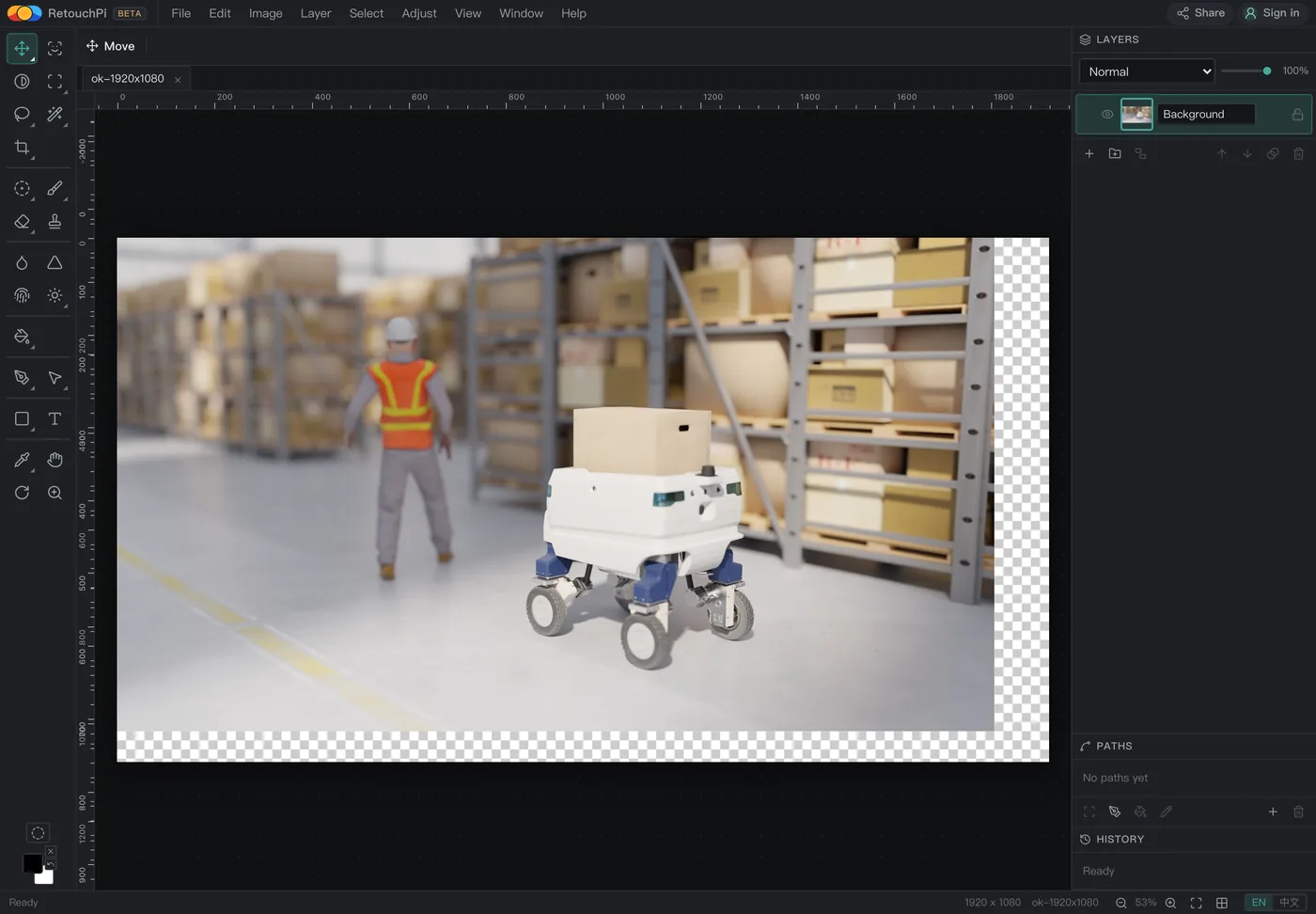
The method, stated first: the bundled Chromium runs with a network log, each of the eight actions runs as its own segment with the log cleared between segments, so every request inside a segment belongs to that one action; the actions are triggered through the real UI (menu items, the drawer, the export buttons), not synthetic calls. Outgoing picture bytes means bytes of picture content inside request bodies; a status endpoint answering with an on/off bit does not count. The sample is a product photo already in the repo, not a synthetic gradient.
| Action | Requests | Picture bytes out | What those requests are |
|---|---|---|---|
| Open the editor (first paint) | 18 | 0 | Document, js, css, plus a handful of switch and price endpoints |
| Drop the 702,047-byte photo in | 0 | 0 | None at all |
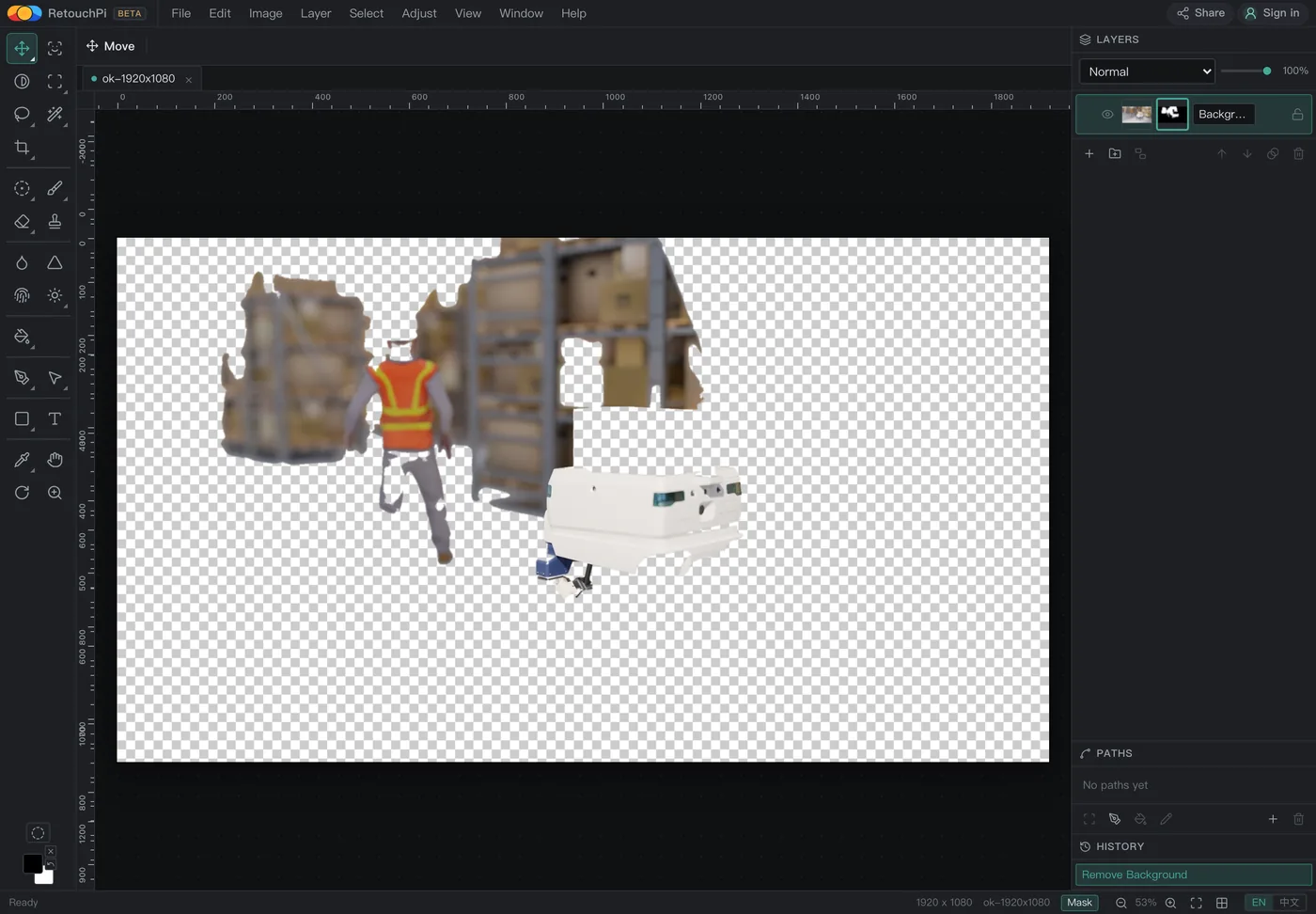
| Cut out the background | 1 | 0 | One switch query |
| ID photo | 2 | 0 | One model download plus one switch query |
| Export PNG | 0 | 0 | None at all |
| Export PDF | 2 | 0 | Two lazy code chunks |
| Save PSD | 1 | 0 | One lazy code chunk |
| Reopen the PSD | 0 | 0 | None at all |
/api/ai/status asks whether the AI step is switched on and its response holds a single bit; yunet.plan is the face-detection model and travels inward, as a download. Neither carries picture bytes, but both are real requests, so the table records 1 and 2 honestly instead of rubbing them out to 0.
The segment easiest to misread is the cut-out: the one request in the network panel carries ai in its name, and a reader will assume the picture went off for inference. Opening it shows the request body for what it is: a switch query whose response holds only a status bit; the cut-out itself is done by the wasm inside the page, which writes the mask straight back into the current layer. The ID-photo segment behaves the same way, its extra entry being the model download; detection then runs locally, and the drawer's own line - no face found, this one frames by selection - is that local detector speaking.
The two kinds of bytes that travel the other way
Whether a picture left the machine answers only half the question; the other half is which bytes came into it. This run measured two kinds. One is models: the first open of the ID-photo drawer fetches yunet.plan, 233,012 bytes, cached afterwards so the drawer's second open in the same run fetches nothing; the repo's same directory also holds selfie.plan at 451,172 bytes, and because no action in this run triggered it, it was never fetched. The other kind is code: the first PDF export lazy-loads the two chunks pdf-*.js and flate-*.js, the first PSD save lazy-loads psd-*.js, all of it one-off code the first paint did not carry and that is fetched only when used.
The third kind is the exit, aimed at your disk: exporting PNG lands 794,399 bytes, exporting PDF lands 134,284 bytes, saving PSD lands 7,327,638 bytes. The PSD row carries a detail worth recording: the Chinese-interface run landed 7,327,638 and the English-interface run 7,327,662, twenty-four bytes apart - layer names follow the interface language, names of different length make containers of different size, and not one pixel changed. Those three files are the only copies the picture left behind in this run; the site keeps none.
| Where the bytes land | Bytes | When it is triggered |
|---|---|---|
yunet.plan into this machine | 233,012 | First open of the ID-photo drawer |
| The exported PNG onto your disk | 794,399 | Clicking export PNG |
| The exported PDF onto your disk | 134,284 | Clicking export PDF |
| The saved PSD onto your disk | 7,327,638 | Clicking save PSD (the Chinese run; the English run 7,327,662) |
The two lazy code chunks are not in this table: they are code, not pictures, and their byte counts move with the build hash, so writing one down would write down a number with an expiry date.
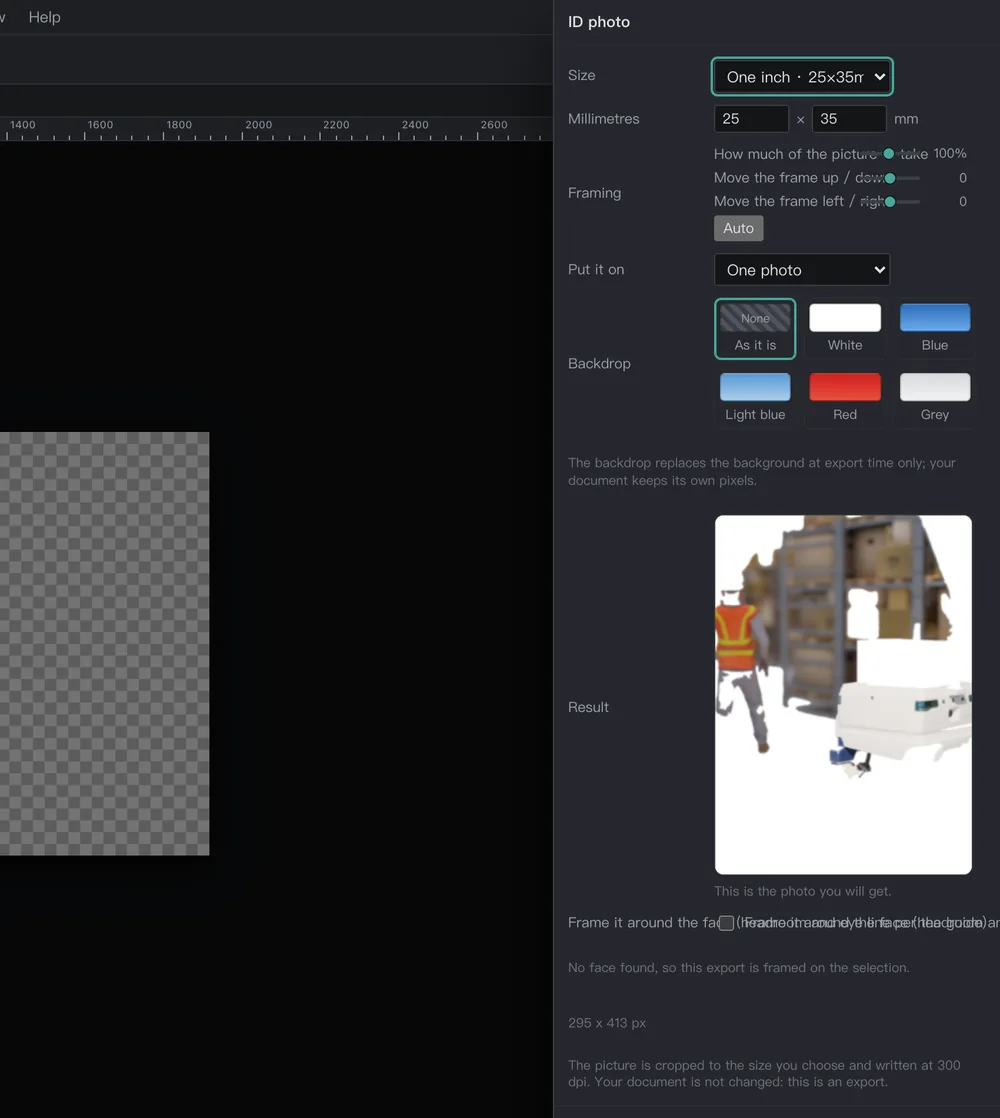
yunet.plan, 233,012 bytes, travelling inward as a download; detection then runs locally and writes the framing line in the drawer.The one server step, and its signed-out face
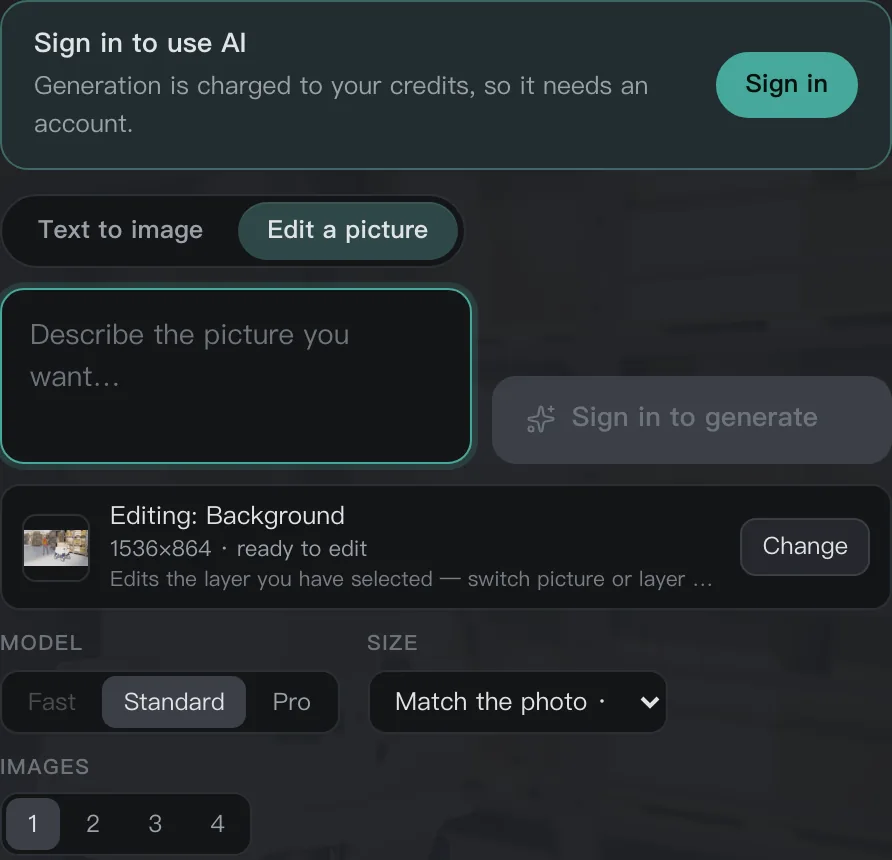
AI generation and AI editing are the one step that goes through a server, and the source picture is uploaded; this page neither hides that fact nor folds it into the same sentence as ordinary retouching. Signed out, the probe measured GET /api/ai/credits?limit=1 answering 401 while /api/ai/status, /api/ai/models, /api/ai/gallery and /api/ai/templates all answered 200 - the switch and the price list are public, the credits are yours, so the credits call asks for a login. The send button reads sign in to generate and sits disabled; the probe clicked it anyway: 0 requests, 0 bytes out, and not a single /api/ai/image/jobs.
Signed in, this step is not a blind submit either: the panel quotes before you commit, and the quote cell sits empty while signed out. The raster sent caps at 1536 on the long side and the frame returned tops out at 2048; those two numbers say two different things, and the photo-by-photo table for them lives on the page about where results land among layers; the credit rate is 1 credit = 1 US cent, and the total is visible before you commit.
Check it yourself, in the Network tab
- Open the DevTools network panel before the editor, keep the log across navigations and filter to Fetch/XHR; the first paint lays down its 18 requests first, and those are switches, prices and the gallery, not your picture.
- Drop a picture in and watch the request list: nothing should be added. If something is, open it and look for picture bytes in the request body - that is the line this page would have to change.
- Open the ID-photo drawer and one
yunet.planentry appears: read its direction and its size column, it is a download, 233,012 bytes, inward not outward. - Click the AI send button while signed out: the request list does not move. Signed in, it quotes first, and the quote cell holds a number before you decide whether to commit.
- Export PNG, export PDF and save PSD once each: read the three file sizes in your downloads folder against this page's 794,399, 134,284 and 7,327,638; the same order of magnitude means the same pipeline.
What would falsify this page: any segment above producing an outgoing request that carries picture bytes while signed out, or an action growing requests out of nothing. The readings belong to the bundled Chromium build of 2026-10-10; on another build the chunk names and byte counts move while the method does not, which is why the method is written here and not only the conclusion.
What this page does not claim
- No claim of being the only one running locally: ordinary retouching inside a browser is not a proprietary trick; this page measures the request list of our one implementation, and the readings belong to it, not to an exclusivity claim.
- No offline claim: the editor is a web page and there is no editor without a network; when this page says on your machine it means the picture bytes do not leave, not that no network is needed.
- No claim that the AI step stays on your machine: it is the one step that goes through a server and the source picture is uploaded; ordinary retouching stays on your machine the whole way, and AI generation plus AI editing is the one step that goes through a server.
- No claim of an alpha-carrying export: PNG export presses alpha flat, this version cannot hand you a transparent PNG with an alpha channel; for layers the exit is PSD.
- No claim of zero requests: the switch query, the model download and the lazy chunks are real requests; this page writes them into the table line by line instead of hiding them behind a zero.
Questions people ask
Does cutting out a background send my picture to a server?
It does not. The cut-out runs in the wasm inside the page and writes the mask straight back into the current layer; the segment's single request is /api/ai/status, asking whether the AI switch is on, and its response holds one status bit. Across the eight actions the picture bytes leaving the machine measured 0.
Why does the ID-photo step show one network request?
It is the face-detection model yunet.plan being downloaded, 233,012 bytes, inward rather than outward; once down, detection runs locally and the framing line in the drawer is that local detector writing. Never open the drawer and the file is never fetched.
What happens if I click AI generate while signed out?
Nothing: the button sits disabled with the label sign in to generate, and the probe's click produced 0 requests, 0 bytes and not one entry in the job queue. Signed in, the panel quotes before it submits, at 1 credit = 1 US cent.
Where do exported files end up?
Your disk: 794,399 bytes of PNG, 134,284 bytes of PDF and 7,327,638 bytes of PSD (the Chinese-interface run; the English run landed 7,327,662, the gap being layer-name bytes). The site keeps no copy; the picture's only three copies from this run are the three files in your downloads folder.
Read next
- Open camera RAWSeven real camera files, measured one by one
- Remove background119 ms, and the result is a layer mask
- ID photoSix named sizes, exported at 300 dpi
- Edit PSD onlineOpens layered, edit one layer, saves back layered
- JPEG to PDFOne pixel per point, read back byte by byte
- AI pricingOne credit is one US cent, tier by tier
- CapabilitiesWhat it opens, and what it exports
- Open CMYK filesNine samples opened, 254-261 ms each
- CMYK vs sRGBOne file, two colour spaces, a measurable gap
- Where the ads come fromZero ad slots on the canvas, screen-share maths
- Ad-free editingAd-free is a one-time purchase, not a subscription
- AI editing and layersResults land back on the source layer's rectangle, ±3 px
Drop your picture in and watch the panel
The editor is free and takes a dropped file the moment it opens. Run the eight actions yourself and the network panel's list plus the three files in your downloads folder become your own readings; where they match, this page's tables are yours.
As an Amazon Associate, we earn from qualifying purchases.