AI Photo Editor With Layers: Where Results Land in RetouchPi
For most products the four words "AI photo editing" answer with a new picture: it renders, you download it, you paste it back yourself. This page measures a different answer: the result lands back on the source layer's own rectangle, same origin, same size, so toggling visibility is a pixel-for-pixel before and after. Four real photos each ran once in the real editor, and the two numbers the panel prints (the raster that goes out, the frame that comes back) are recorded below; the cross-check table for the one arithmetic across landing page, editor and server, the ±3 px composite-canvas reading for placement, and the fact that this is the one step that sends your picture out of the browser, with its credit ledger, are all on this page.
Updated 2026-10-10 · ~ 2351 words
The panel prints two numbers
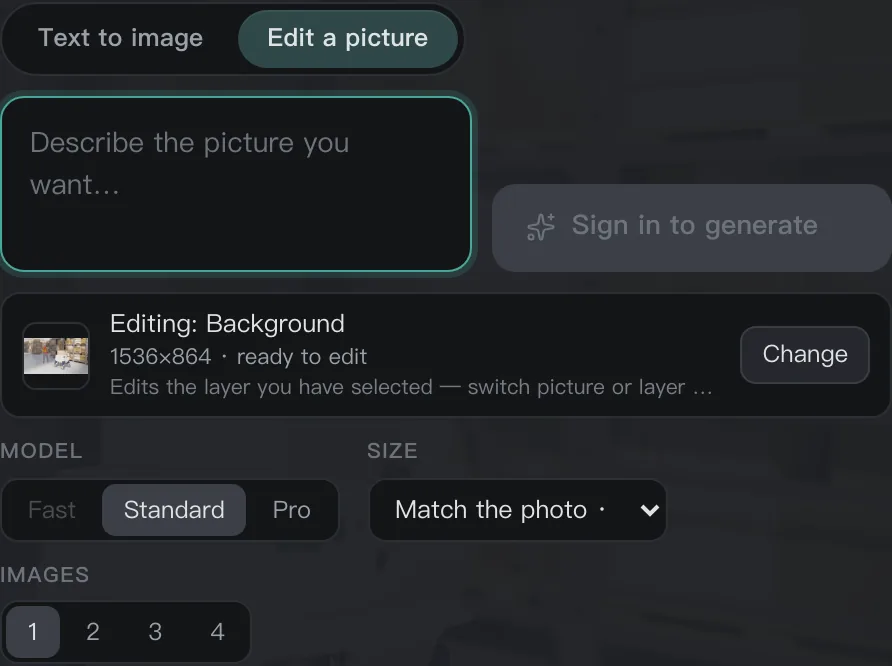
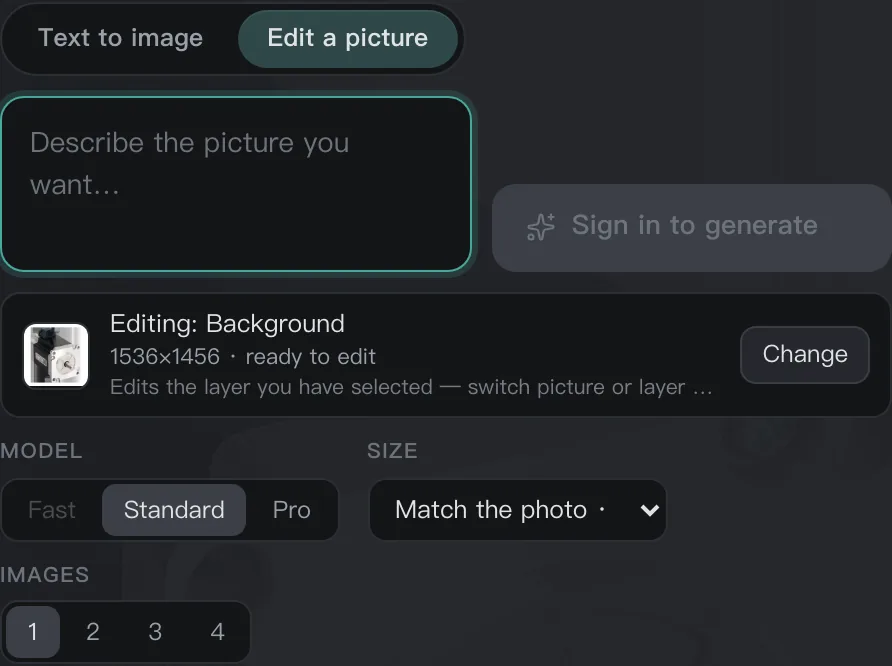
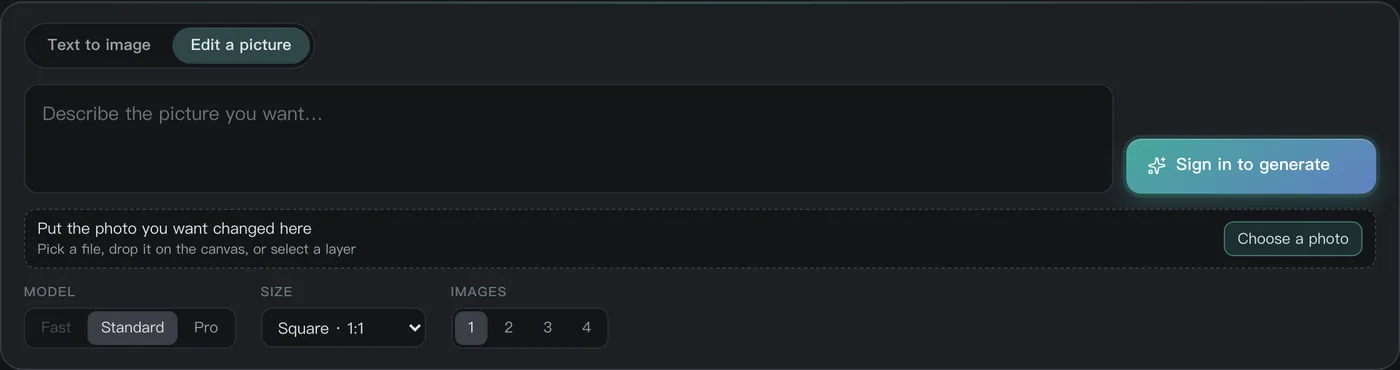
The edit row gives the reader one line of small type and one dropdown, and they say two different things. The small type describes the bytes that go out: the editor flattens the current layer into a raster before sending it, and that raster's long side is capped at 1536 px, so a 2932×2780 original already reads 1536×1456 on that line and is judged ready to edit. The dropdown's first option describes the frame that comes back, computed from the layer's own pixels with the long side capped at 2048, so the same photo reads 2048×1942 in that cell. The two numbers differing is not a fault; they are two facts: what the model receives, and the frame the result returns in.
| Source photo | The small type: what goes out | The frame cell: what comes back |
|---|---|---|
| 1920×1080 | 1536×864 · ready to edit | Match the photo · 1920×1080 |
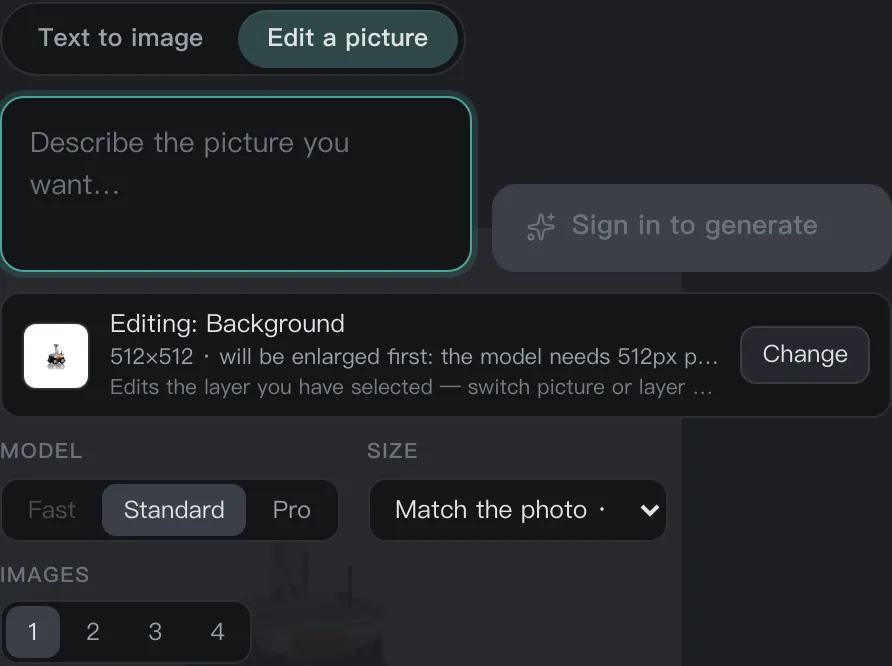
| 400×400 | 512×512 · will be enlarged first: the model needs 512px per side | Match the photo · 512×512 |
| 2932×2780 | 1536×1456 · ready to edit | Match the photo · 2048×1942 |
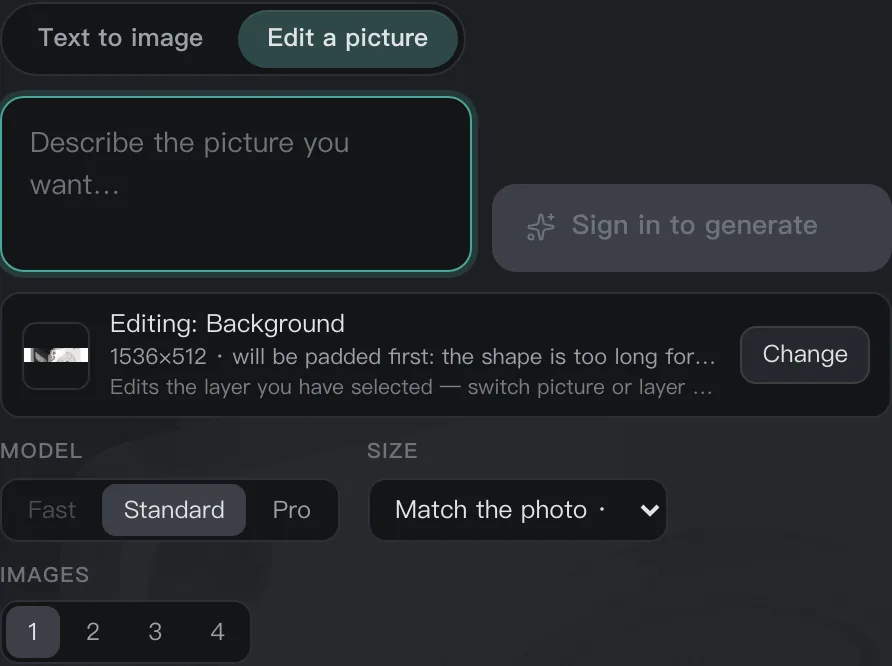
| 2932×600 | 1536×512 · will be padded first: the shape is too long for the model | Match the photo · 2048×512 |
The four samples are product photos already in the repo, resized or cropped with sips, not synthetic gradients; what the row looks like with no source picture yet is the last capture in the next section.
The first probe asserted a single number and was wrong on three of the four samples - the round that got it wrong is the round that split the two apart: the version asserting the small type waited for 1920×1080 on a 1920×1080 photo and got 1536×864 back. The panel was not lying; the probe was asking the wrong object. This page's table therefore writes both columns, and whichever column a reader checks against, it matches.
Four states: ready, enlarge, pad, and the one this end cannot say
There are only four verdicts, and the boundary is the model's own two lines: at least 512 px per side, at most 2048 px on the long side. Reading the live /api/ai/models on 2026-10-10, min_side and max_side are exactly 512 and 2048. Inside both lines is ready to edit; a short side under 512 is enlarged in proportion until the short side is 512; a long side over 2048 is scaled in proportion until the long side is 2048; and the family whose aspect ratio exceeds 4:1 has only padding left - after the long side is capped the short side is still under 512, scaling cannot save it, and cropping would mean choosing for the reader which half to lose, so the canvas is padded until both sides reach 512 with the picture centred.
| State | Trigger | Does the editor row say it |
|---|---|---|
| ready to edit | both sides inside 512 to 2048 | yes |
| will be enlarged first | short side under 512 | yes |
| will be scaled down first | long side over 2048, on the original file | no: the raster sent is already 1536 |
| will be padded first | aspect over 4:1, short side still under 512 after capping | yes |
The third row is the cell most easily misread on this page: it does not say the editor forgot a hint, it says that hint is mathematically impossible to trigger on this end - 1536 never reaches the 2048 line.
One arithmetic, written in three places
The same verdict has three homes: the landing page's input box, the editor's first tab, and the server's request layer. Each writes it once because each receives a different input (a local file, a canvas layer, HTTP bytes), but the arithmetic must be identical to the letter - change one and not the others, and the best case is wasted quality, the worst case a reader who paid credits for an error they cannot parse. On 2026-10-10 the seven sizes below were run through all three ends, identical line by line:
| Size | Landing page | Editor | Server |
|---|---|---|---|
| 1920×1080 | ready as is | ready as is | ready as is |
| 400×400 | enlarged to 512×512 | enlarged to 512×512 | enlarged to 512×512 |
| 2932×2780 | scaled to 2048×1942 | scaled to 2048×1942 | scaled to 2048×1942 |
| 2932×600 | padded to 2048×512 | padded to 2048×512 | padded to 2048×512 |
| 1536×864 | ready as is | ready as is | ready as is |
| 1536×1456 | ready as is | ready as is | ready as is |
| 1536×314 | padded to 1536×512 | padded to 1536×512 | padded to 1536×512 |
The boundary cases are pinned by three test suites of their own: one per end. Change one end and leave the others, and it is the other two that go red.
The result lands back on the source layer's rectangle
One thing is often got backwards, so say it first: layers do not share one scale factor. Every layer owns its own rectangle, size plus offset, which is the old rule of layer editors; what must agree is the derived relation - the result of editing layer X has to land back on X's own rectangle, same origin, same size, so that toggling visibility is a pixel-for-pixel before and after rather than two pictures that do not line up.
Placement is one piece of pure arithmetic: when the ratios agree it is the identity, with no resampling at all; when the provider returns a different bucket it is contain plus centring; never a stretch, never a crop. The reading on a composite canvas, taken 2026-10-10: the source rectangle runs 175,132 to 525,394, and the result lands aligned to it within ±3 px; the old behaviour put the same result at 700,525 - and then toggling visibility shows two unrelated pictures instead of a before and after. The source rectangle is fixed at the moment of submission and travels with that batch of results; insertion also uses the result's own mode, not whichever mode the panel happens to sit on.
- Same ratio: identity placement, no resampling - the source is the model's only reference, and the result should not gain another layer of blur.
- Different bucket: contain plus centring, none of the four edges cropped.
- Never a stretch, never a crop: these two carry no exception, because an exception is repainting the picture on the reader's behalf.
The ledger of this step: the picture goes up, and 1 credit is 1 US cent
The boundary first, then the money. Ordinary retouching stays on your machine the whole way: decode, edit and export all happen in the browser. AI generation and AI edits are the one step that goes through a server, and the source picture is uploaded to that server; it is the only time. Then the money: 1 credit = 1 US cent, quoted on the panel before you commit; an anonymous reader sees the row say sign in to use AI, the button reads sign in to generate, and the quote cell stays empty - with no login there is no balance to charge, and this state does not pretend otherwise.
| Tier | Model | Text to image 1k | Text to image 2k | Edit 1k | Edit 2k |
|---|---|---|---|---|---|
| Fast | z-image-turbo | 6 credits | 6 credits | edits not offered | edits not offered |
| Standard | qwen-image-3.0 | 10 credits | 20 credits | 12 credits | 24 credits |
| Pro | qwen-image-3.0-pro | 20 credits | 40 credits | 22 credits | 44 credits |
Read from the live /api/ai/models on 2026-10-10; at most 4 pictures per request (max_count = 4), and the 512-per-side to 2048-long-side limits come from the same response.
How to check it yourself
- Open the editor, put one of your own pictures on the edit row and read the small type: the size it names is the raster that goes out, never longer than 1536 on the long side.
- Read the dropdown's first cell: that is the layer's own pixels, long side capped at 2048. The two numbers differing is normal, and so is their agreeing in the states where they must, the enlarged-to-512 one for instance.
- Take a strip whose aspect ratio exceeds 4:1: the row will say it will be padded first, and the frame cell will sit in the 2048×512 family.
- Sign in, spend the credits once, then toggle the result layer's visibility off and on: the two pictures must sit on exactly the same rectangle, with no drift and no size change.
- Open the network panel and edit for three minutes without pressing generate: apart from the page's own assets there is no request carrying your picture out; press generate and there is exactly one.
The last one is the cheapest check of that boundary, and the same one we run on our own build: without a press of generate, nothing leaves the machine.
What this page does not claim
- No claim that AI editing is free: it is metered in credits, 1 credit = 1 US cent, quoted before you commit; the editor itself is free and carries no subscription.
- No claim that the AI step stays on your machine: it is the one step that goes through a server and the source picture is uploaded; what stays on your machine the whole way is ordinary retouching.
- No claim that the result is sharper than the original: the raster sent is capped at 1536 on the long side and the model will not hand back four thousand pixels of detail it never received; the frame returned tops out at 2048, and that is a frame, not a resolution promise.
- No offline claim: the editor is a web page and there is no editor without a network.
- No claim that layers share one scale factor: every layer owns its own rectangle; what must agree is the result landing back on the source layer's rectangle, and that is what this page measured.
Questions people ask
Does AI editing upload my photo?
It does. AI generation and AI edits are the one step that goes through a server, and the source picture is uploaded to it; ordinary retouching stays on your machine, and without this step there is no request carrying a picture out. The panel quotes before you commit, and without a login the button reads sign in to generate with the quote cell empty.
Why do the two sizes on the panel differ, and which one is real?
Both are real and they say two things: the small type is the raster that goes out, capped at 1536 on the long side; the dropdown's first cell is the frame that comes back, computed from the layer's own pixels and capped at 2048. That is why a 2932×2780 photo reads 1536×1456 on one and 2048×1942 on the other, and neither is wrong.
Does the result become a new layer, and can its scale change on its own?
The result lands back on the source layer's rectangle: same origin, same size. When the ratios agree there is no resampling at all; when the provider returns a different bucket it is contain plus centring; never a stretch, never a crop. On a composite canvas the measured alignment sits within ±3 px, so toggling visibility is a pixel-for-pixel before and after.
What happens if my picture is too small, too long, or too large?
A short side under 512 is enlarged in proportion to 512; a long side over 2048 is scaled in proportion to 2048; and the family over a 4:1 aspect ratio has only padding left, the canvas padded until both sides reach 512 with the picture centred - cropping would choose for the reader which half to lose, so it does not crop. The panel writes all four verdicts out as they happen.
Read next
- Open camera RAWSeven real camera files, measured one by one
- Remove background119 ms, and the result is a layer mask
- ID photoSix named sizes, exported at 300 dpi
- Edit PSD onlineOpens layered, edit one layer, saves back layered
- JPEG to PDFOne pixel per point, read back byte by byte
- AI pricingOne credit is one US cent, tier by tier
- CapabilitiesWhat it opens, and what it exports
- Open CMYK filesNine samples opened, 254-261 ms each
- CMYK vs sRGBOne file, two colour spaces, a measurable gap
- Where the ads come fromZero ad slots on the canvas, screen-share maths
- Ad-free editingAd-free is a one-time purchase, not a subscription
- Where your file goesEight actions, request lists, zero picture bytes out
Put your picture on the row and check
The editor is free and takes a dropped file the moment it opens. Once your picture is on the row, read the small type and the frame cell: two numbers saying two things, both matching, and this page's tables become your own readings.
As an Amazon Associate, we earn from qualifying purchases.